 Purchase this item and get
The FIBARO Walli Dimmer is a versatile and stylish dimmer switch designed to work with a variety of lighting sources including LEDs, CFLs, incandescent, and halogen lights. It can be controlled manually, via a wall switch, or remotely through a Z-Wave compatible controller, making it an essential part of any smart home system.
Key Features:
- Smart Lighting Control: Adjust lighting levels to create the perfect ambiance for any occasion.
- Energy Monitoring: Keep track of energy consumption to optimize your electricity usage and save on bills.
- Scene Activation: Activate preset scenes for various activities like reading, dining, or movie nights with a single click.
- Customizable LED Ring: The built-in LED ring can be customized to show different colors, indicating various statuses like power usage or scene selection.
- Voice Control: Compatible with voice assistants like Amazon Alexa and Google Assistant for hands-free control.
- S2 Security: Enhanced encryption ensures secure communication within your Z-Wave network.
Technical Specifications
Electrical Specifications:
- Power Supply: 230V ±10% 50/60Hz
- Maximum Load:
- LED and CFL: 0-300W
- Incandescent and Halogen: 0-600W
- Power Consumption: < 1.3W
Communication:
- Wireless Technology: Z-Wave (500 series chip)
- Frequency:
- EU: 868.4, 869.85 MHz
- US: 908.4, 916.0 MHz
- AU: 921.4, 919.8 MHz
- IN: 865.2 MHz
Environmental Conditions:
- Operating Temperature: 0-35°C (32-95°F)
- Storage Temperature: -10-50°C (14-122°F)
- Humidity: 10-95% RH without condensation
Physical Specifications:
- Dimensions: 86 x 86 x 48 mm (3.39 x 3.39 x 1.89 inches)
- Weight: 118g (0.26 lbs)
- Color: White (customizable LED ring)
Installation and Setup
The FIBARO Walli Dimmer is designed for easy in-wall installation. It fits into standard electrical boxes and can be used to replace existing switches. Installation requires basic electrical knowledge, and it is recommended to consult an electrician if you are not familiar with electrical installations.
Step-by-Step Installation Guide:
- Turn off the power at the circuit breaker to ensure safety.
- Remove the existing switch and disconnect the wires.
- Connect the FIBARO Walli Dimmer to the electrical wires according to the installation diagram in the manual.
- Secure the dimmer into the wall box and attach the faceplate.
- Turn the power back on and configure the dimmer using your Z-Wave controller.
For detailed installation instructions, you can refer to the FIBARO Walli Dimmer User Manual.
Compatibility and Integration
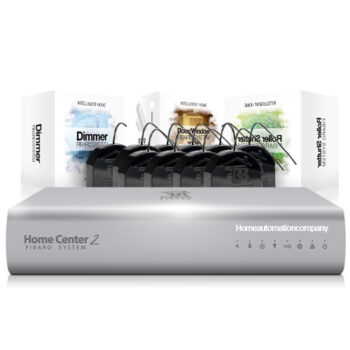
The FIBARO Walli Dimmer is compatible with a wide range of Z-Wave and Z-Wave Plus certified devices. It integrates seamlessly with FIBARO Home Center and other popular Z-Wave hubs like SmartThings, Vera, and more.
Supported Devices:
- Lighting Sources: LED, CFL, incandescent, halogen
- Z-Wave Controllers: FIBARO Home Center, SmartThings, Vera, and more
- Voice Assistants: Amazon Alexa, Google Assistant
Conclusion
The FIBARO Walli Dimmer is a powerful and flexible solution for modern smart homes. Its advanced features, ease of installation, and broad compatibility make it an excellent choice for anyone looking to enhance their home’s lighting system. With its customizable LED ring and energy monitoring capabilities, it not only adds convenience but also helps you save on energy costs.
By integrating the FIBARO Walli Dimmer into your smart home ecosystem, you gain precise control over your lighting, contributing to a more comfortable and efficient living environment. For more information, refer to the official user manual and explore the possibilities of smart lighting with FIBARO.